License
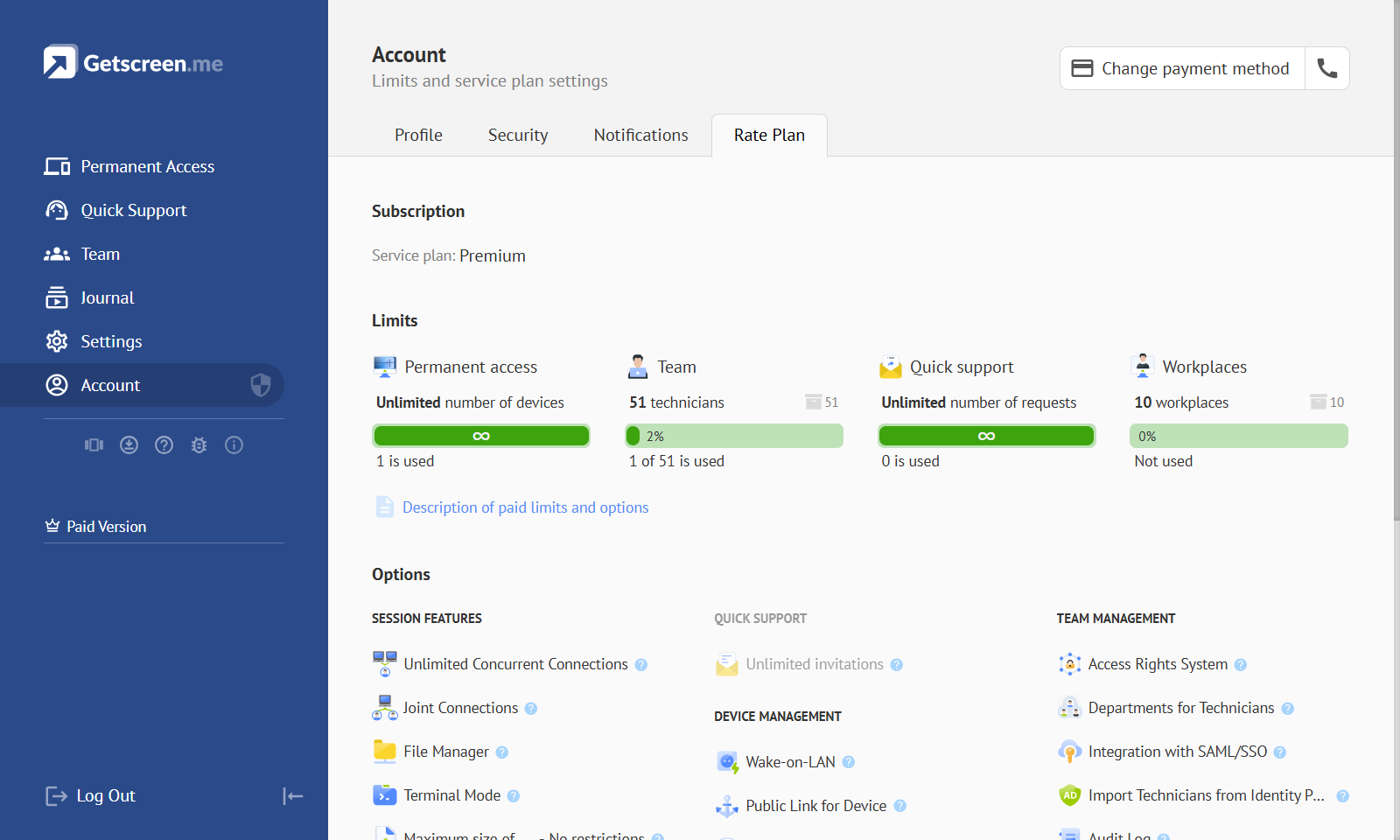
This section describes the entities used in the account licensing system.
Remote Access Pricing Plans Explained: Selecting the Best Fit
Learn more about the available pricing plans in the overview article on our blog.
Limits
Limits — licensing restrictions applied to measurable system resources. They define the allowed usage volume and directly affect the amount of system resources consumed.
Team
Team — a limit on the number of technician accounts within your team. Each technician has separate credentials for signing in to the dashboard. Learn More
Permanent Access
Permanent Access — a limit on the number of devices that can be added to Permanent Access and accessed by the account owner and team members at any time. Learn More
Quick Support
Quick Support — a limit on the number of active Quick Support invitations used for one-time connections to devices of external users or customers. Learn More
Premium Options
Premium Options — additional remote access features that improve technician workflow, simplify remote access management, and enhance the level of service provided to third-party customers.
Concurrent Connections
Concurrent Connections — Allows a technician to maintain open connections with multiple devices simultaneously, without any limit on the number of connections. Learn More
Joint Connections
Joint Connections — Allows a technician to connect to a device that is already being accessed by another technician. Learn More
File Manager
File Manager — Enables the exchange of batches of files, allowing multiple files and folders to be transferred at once. Learn More
Terminal Mode
Terminal Mode — Allows a technician to launch the command-line terminal without connecting to the device's screen. Learn More
Support Mobile Devices
Support Mobile Devices — Allows a technician to connect to mobile devices running the Android operating system. Learn More
Black Screen Mode
Black Screen Mode — Allows a technician to disable the screen or separately disable the keyboard and mouse on the remote device during a connection. Learn More
Video Recording
Video Recording — Allows saving video recordings of all connections. Learn More
Reboot During Connection
Reboot During Connection — Allows a technician to reboot a device with automatic reconnection. Learn More
In-Session Calls
In-Session Calls — Allows the technician and the remote device user to call each other during a connection session. Learn More
Support RDP Protocol
Support RDP Protocol — Allows a technician to use the RDP protocol to log into systems when connecting to servers. Learn More
Connection History
Connection History — Allows viewing the connection history. Learn More
In-session Unattended Access Request
In-session Unattended Access Request — Allows a technician to request permission from the remote device user to add the device for permanent access during a connection session. Learn More
Custom Proxy for Media Data
Custom Proxy for Media Data — Allows custom proxy servers to be used for transferring media data between the technician’s device and the remote device. Learn More
Wake-on-LAN
Wake-on-LAN — Allows a technician to wake up powered-off devices configured for permanent access using the Wake-on-LAN command. Learn More
Public Access for Device
Public Access for Device — Allows a technician to assign a public link to a device from permanent access, enabling connections via the link. Learn More
Customization of Public Access Link
Customization of Public Access Link — Allows a technician to customize public links to devices. Learn More
Share with Another Account
Share with Another Account — Allows a technician to share a device with any system account using a login. Learn More
Proxy Settings for Agent App
Proxy Settings for Agent App — Allows a technician to predefine proxy settings for devices with permanent access. Learn More
Server Access Through Gateway
Server Access Through Gateway — Allows the Gateway application to be used as a proxy to establish a connection with the server when the agent application has no direct access to the server. Learn More
Team Access Rights System
Team Access Rights System — Allows configuring access rights to devices for team technicians.Learn More
Departments for Technicians
Departments for Technicians — Allows grouping team technicians into departments. Learn More
Audit Log
Audit Log — Allows viewing the system event log of all actions performed by all team technicians. Learn More
Import Technicians from Identity Provider (LDAP)
Import Technicians from Identity Provider (LDAP) — Allows importing technician accounts from Identity Provider by using LDAP protocol. Learn More
Branding Title, Icon and Subdomain
Branding Title, Icon and Subdomain — Allows customizing system elements displayed on the remote device. Learn More
Custom Domain for Links
Custom Domain for Links — Allows you to set your own domain for all connection links displayed on the remote device. Learn More
HTTP API Access
HTTP API Access — Allows accessing the system’s API through HTTP API requests. Learn More