Access Right System
A system that allows you to assign access rights to individual devices or device groups for specific technicians, departments, or workplaces. It defines not only the subject and object of an access right, but also the list of actions that the subject is allowed to perform on the object.
Technicians and Access Rights System
Learn more about configuring the team access rights system in the separate user guide.
Public Link
Public Link — a permanent public link used to connect to a device from the Permanent Access section. The link can be customized if necessary. Having the link itself does not grant access. Access rights are checked when the link is opened using several access control mechanisms.
Access Right
Access Right — a record in the Access Right System that defines the subject and object of the access right. The subject can be a technician, department, or workplace, while the object can be an individual device, a device group, or a specific system function.
Permission
Permission — an allowed action that applies to a remote device, a device group, or a specific system function.
The table below lists all available permissions for each purpose.
| Name | Description |
|---|---|
| Actions | Available connection modes for the device |
Screen View | Allows connecting to the device screen in view-only mode |
Screen Control | Allows controlling the device screen using the mouse and keyboard |
File Manager | Allows access to the device file system |
Terminal Mode | Allows terminal-mode access to the device |
Wake Up | Allows waking the device using Wake-on-LAN |
Reboot | Allows rebooting the remote device |
Lock/Unlock | Allows locking or unlocking the remote OS account |
| Session options | Features available during a remote session |
No Confirmation | Allows connecting without requesting confirmation from the remote user |
Calls | Allows making calls |
Black Screen and Input Lock | Allows enabling Black Screen and blocking input devices |
Chat | Allows sending text messages |
Sync Clipboard | Allows synchronizing the clipboard |
| Other options | Other system functions applicable to devices |
Screen Preview | Allows viewing a live screen preview in the device list |
Connection History | Allows access to connection history |
Software Inventory | Allows access to information about installed software |
Modify Notifications | Allows managing notifications |
Video Recording Delete | Allows deleting video recordings |
Device Modify | Allows editing device properties |
Device Delete | Allows deleting devices |
| Name | Description |
|---|---|
| Access to Invitations | Defines which invitations are accessible |
Own Invitations | Allows access only to the technician’s own invitations |
All Invitations | Allows access to all team invitations |
| Actions | Available connection modes |
Screen View | Allows connecting in screen view mode |
Screen Control | Allows controlling the screen using the mouse and keyboard |
File Manager | Allows access to the file system |
Terminal Mode | Allows connecting in Terminal Mode |
| Session options | Features available during a connection |
Calls | Allows making calls |
Chat | Allows sending text messages |
Reboot | Allows rebooting the device |
Installation Request | Allows sending a request to install the agent application |
Sync Clipboard | Allows synchronizing the clipboard |
| Other options | Other functions |
Screen Preview | Allows viewing a live screen preview in the list |
Video Recording Delete | Allows deleting session recordings |
| Name | Description |
|---|---|
| Administrator functions | Administration features |
Audit Log | Allows access to team-wide audit logs |
Technicians and Team Settings | Allows managing technicians and team settings |
Branding Settings | Allows access to branding settings |
Billing Settings | Allows managing billing settings |
API Settings | Allows managing API keys |
| Other | Other features |
Permanent Access | Grants access to the Permanent Access section. Normally, this section is available when the user has access rights to at least one device or device group. In some cases, however, the section may not be visible. This permission explicitly grants access to the section, for example, to add a new device. |
Role
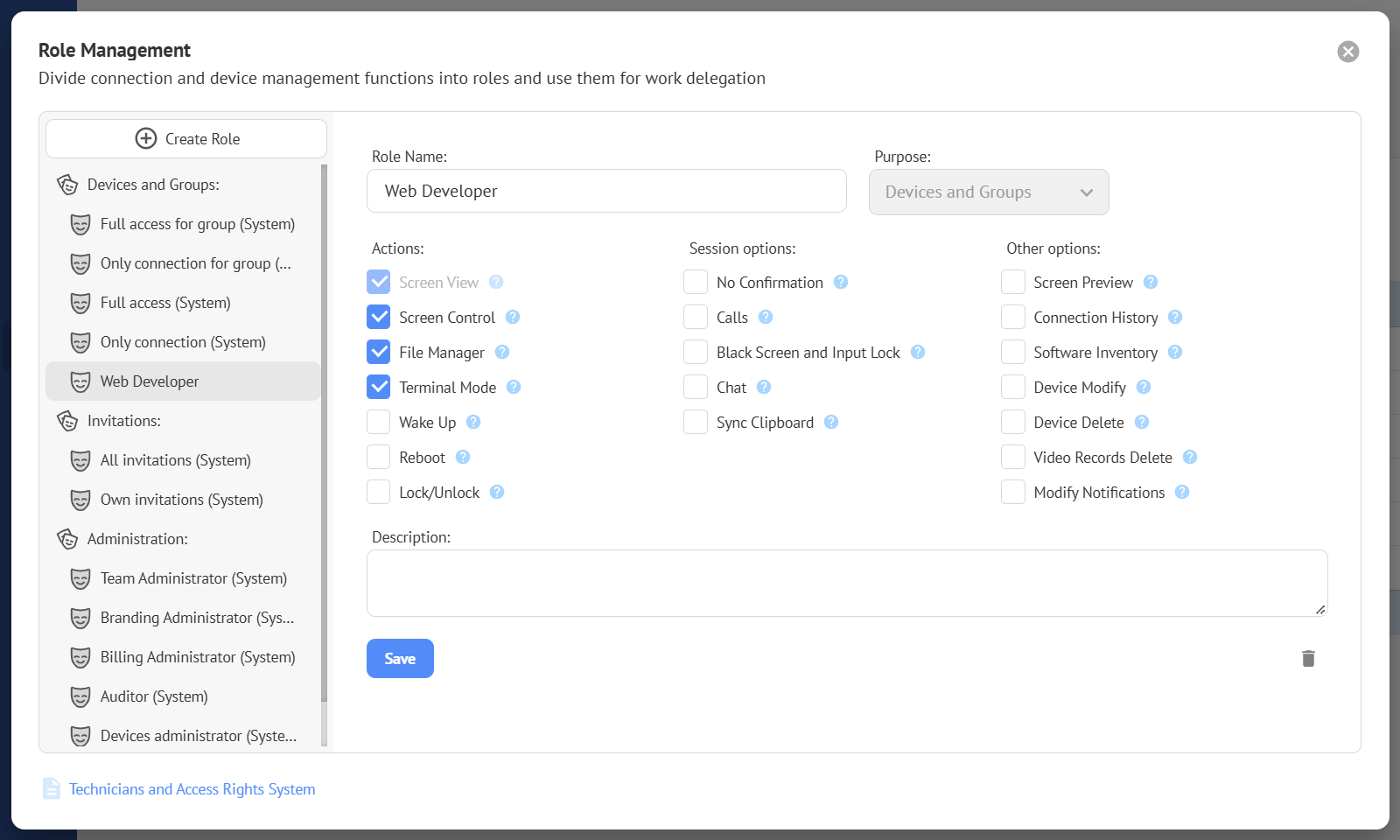
Role — a set of permissions used within an access right.
System Role
System Role — a built-in role that contains the minimum permissions required for the Access Right System to function and to maintain compatibility with previous versions. Permissions included in system roles cannot be modified.
Role Purpose
Role Purpose — a role property that defines what the role is intended for and limits the set of permissions that can be assigned to it. Three options are available:
- Devices and Groups – for managing devices and device groups in Permanent Access.
- Invitations – for working with Quick Support invitations.
- Administration – for managing technicians and system administration functions.
The purpose is selected when creating a new role. The purpose of an existing role cannot be changed.
Role Manager
Role Manager — the interface used to create, edit, and manage roles.
Team Access
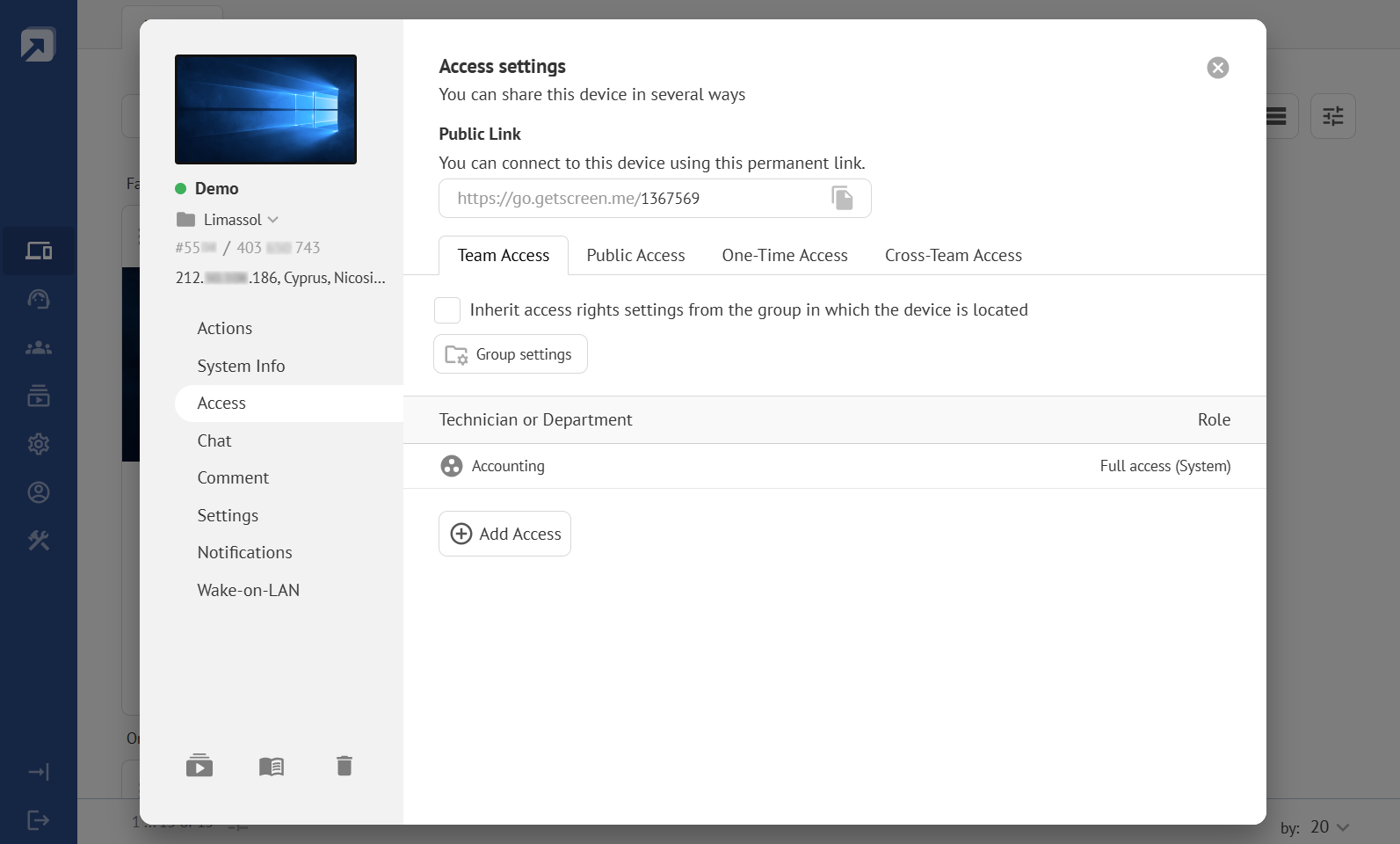
Team Access — an access control subsystem designed for use within a team. It provides shared access to devices or device groups for specific technicians, departments, or workplaces.
Public Access
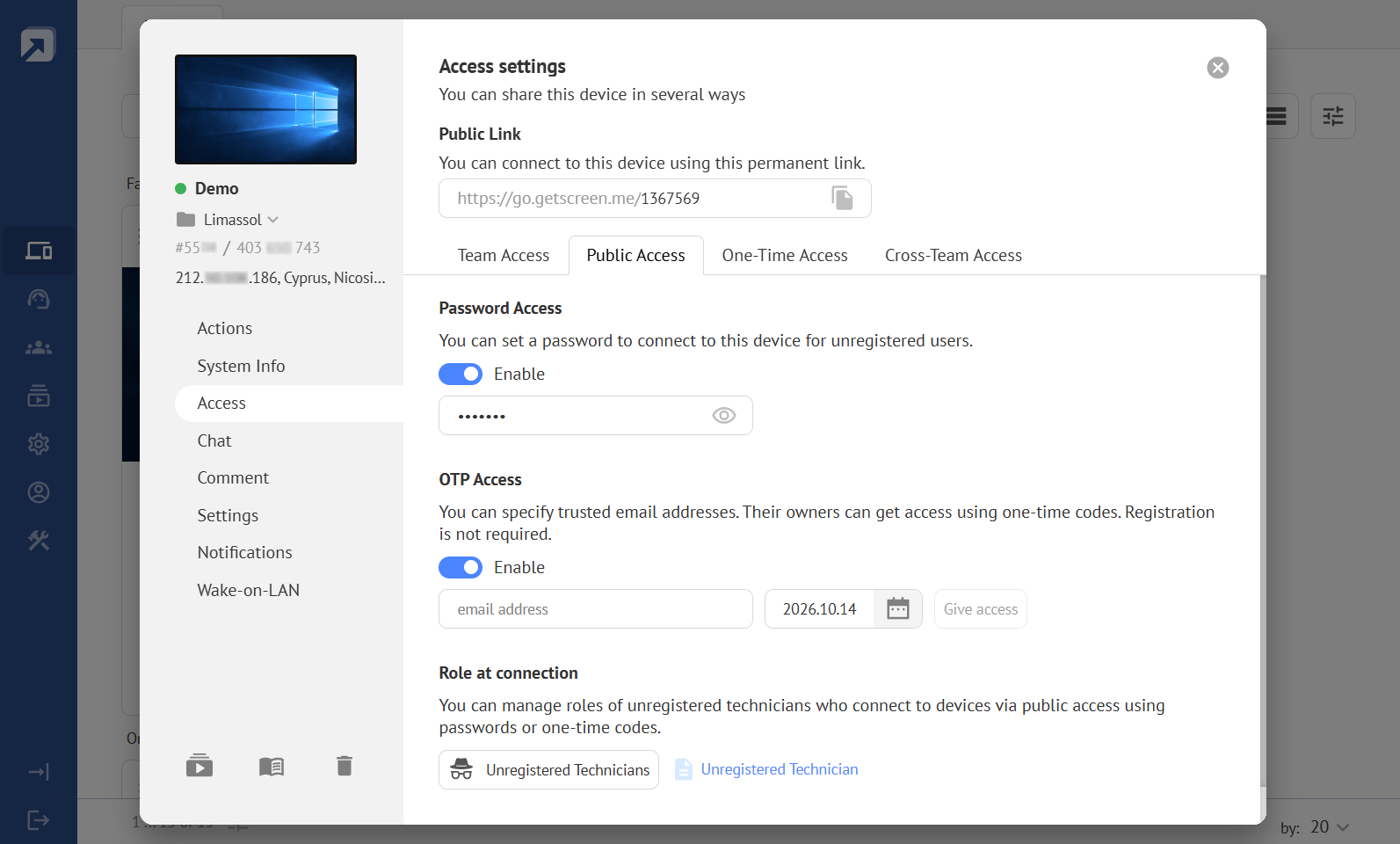
Public Access — an access control subsystem that allows unregistered technicians to access an individual device through its Public Link. A role for unregistered technicians can be assigned to individual devices or device groups.
Password Access
Password Access — access through a Public Link protected by a custom password. When an unregistered technician opens the link, they are prompted to enter the password. If the password is correct, the connection can proceed.
OTP Access
OTP Access — access through a Public Link using a one-time code sent by email. When OTP Access is enabled, a list of allowed email addresses is specified. When an unregistered technician opens the Public Link, they are prompted to enter their email address. If the address is allowed, a one-time code is sent to that address. If the code is entered correctly, the connection can proceed.
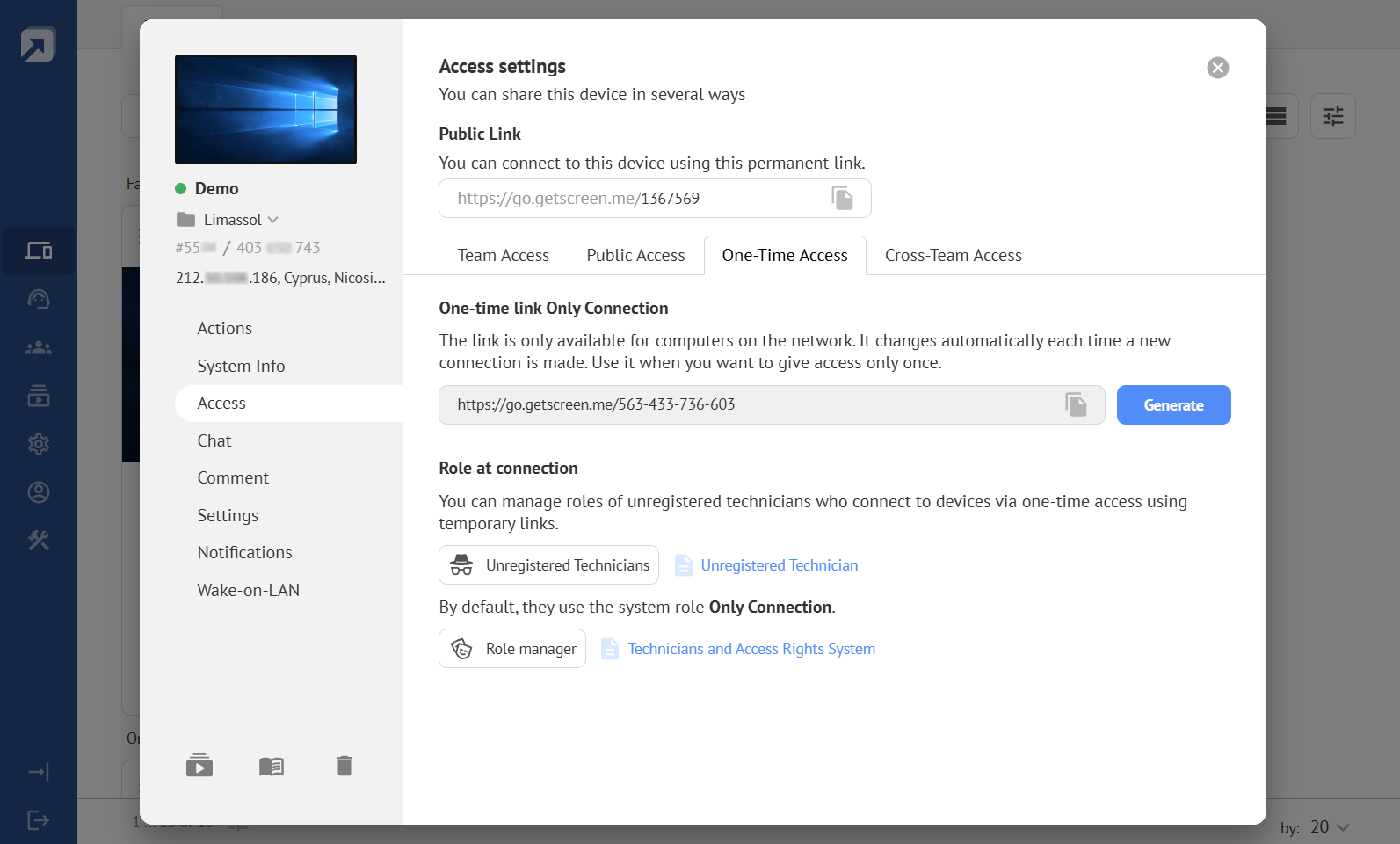
One-Time Access
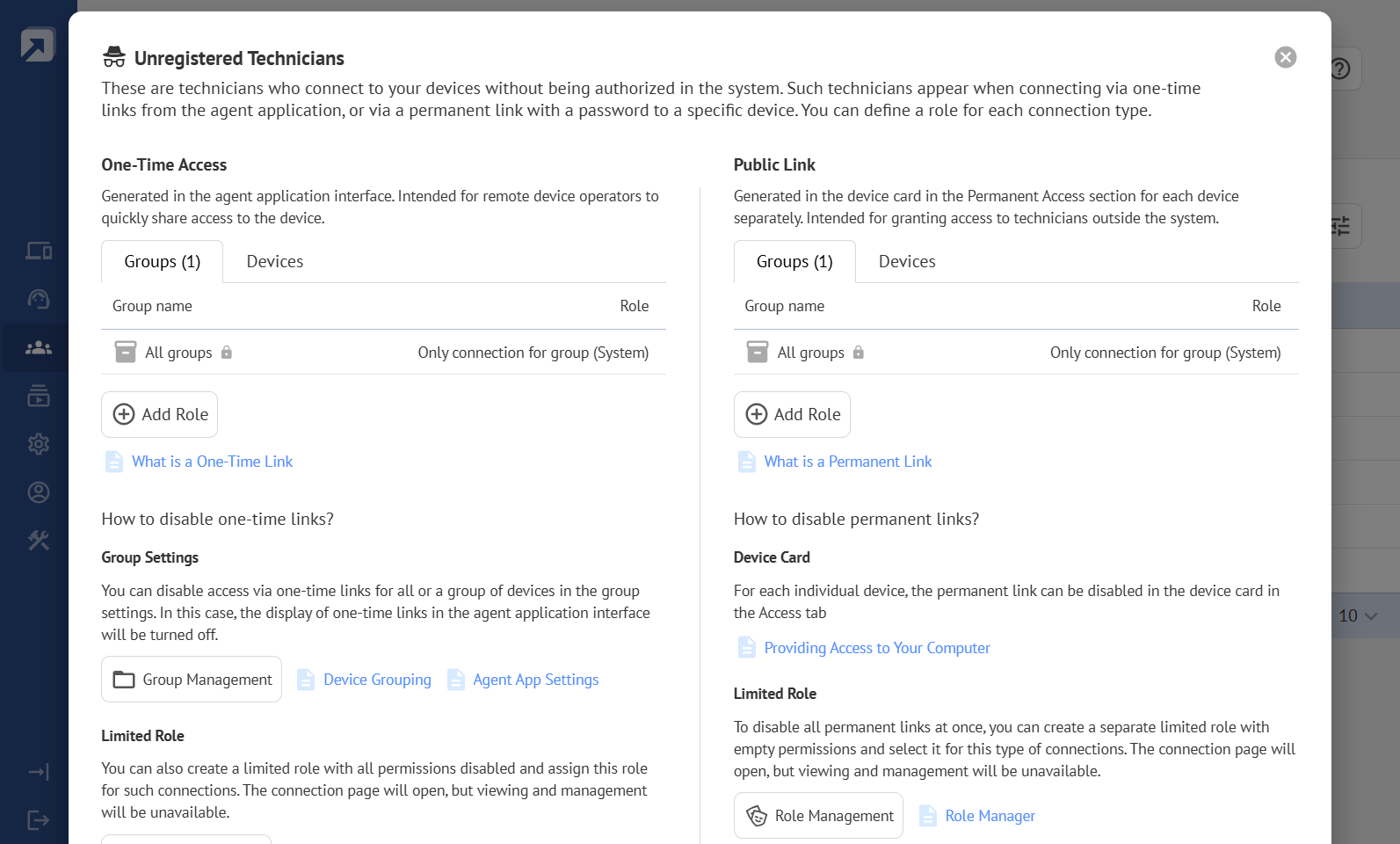
One-Time Access — public access to an individual device for unregistered technicians using a one-time Share Link generated in the agent application on the remote device. A role for unregistered technicians can be assigned to individual devices or device groups.
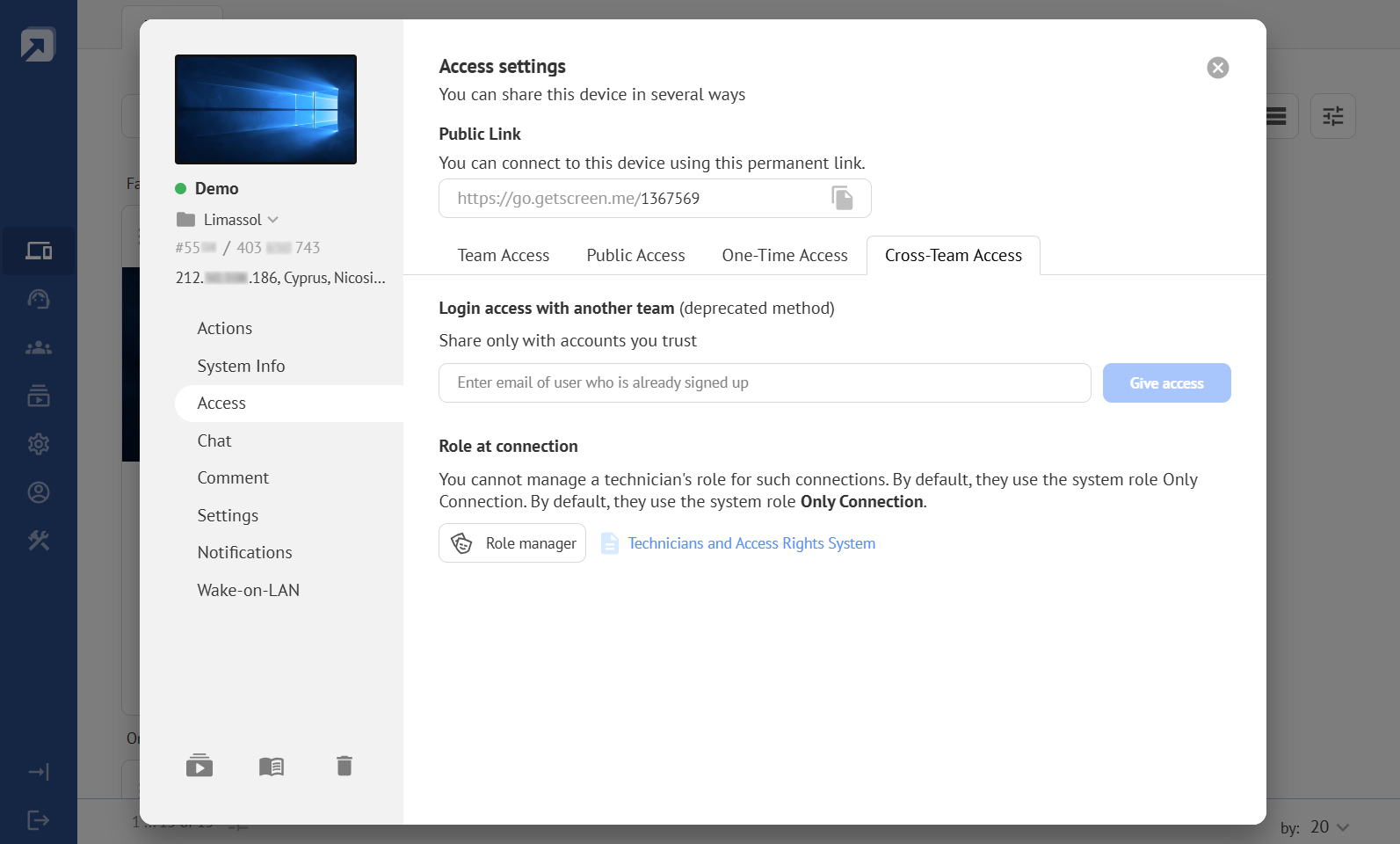
Cross-Team Access
Cross-Team Access — direct access to an individual device granted to a technician from another team. Access is granted using the technician’s email address.
Unregistered Technician
Unregistered Technician — an operator who can access and control a device without having an account in the system. For public access methods, the role assigned to an unregistered technician can be predefined and restricted.